Instant launch
Your latest conversations show straight away; Gmail is checked right after.
For Gmail and Google Workspace · Mac and iPhone
Courant is the Mac and iPhone app for Gmail. Every account in one inbox, replies ready before you start typing, and mail that opens instantly — even offline.
Free for 7 days · macOS 26 and iOS 26 or later · one purchase for Mac and iPhone


Inbox
Add as many Gmail and Google Workspace accounts as you like. All Inboxes brings them together, sorted by day, each account with its own name and icon — and each account's inbox stays one click away.
To Reply, Awaiting Reply, Scheduled, and automatic categories: meetings, invoices, applications, newsletters, promotions, notifications, security.
Describe a category in a sentence: Courant compares it with each email on your device, without sending anything anywhere.
A search index on your Mac answers as you type, across every account — or search Gmail itself, with every field of advanced search.
Sender or participants, preview lines, avatars, density, grouping by day, or one email per line like Gmail.
Decisions
Decisions lines up the emails waiting for your answer and the invitations to accept, one at a time. Each one comes with a reply already written — in the email's language, formal or casual, signed the way you sign. Send it as is, edit it, archive, or keep it for later.
Courant learns your greetings, sign-offs and signature from the emails you've sent — on your device.
Meetings, applications, quotes, invoices: a fitting answer for each, refined by your AI model when you have one.
Rules prepare the reply to a whole kind of email — applications when you're not hiring, say — and wait for your go-ahead.
Every reply can be called back for a few seconds after you send it.


Writing
Everything you expect from a desktop mail app: rich formatting, signatures per address, templates, attachments by drag and drop or paste, and replies sent from the address the email was sent to.
Cancel a send for up to 30 seconds, send at the time you choose, or have the conversation come back if nobody answers.
Tonight, tomorrow, this weekend or any date: the conversation leaves your inbox and comes back unread, with a notification.
Your Gmail send-as addresses with their signatures, switched as you change the sender.
Insert the messages you write again and again, or describe what you want to say and let the AI draft it (⇧⌘I).

All of Gmail
Courant speaks Gmail's own language through Google's API: labels, categories, filters and threads behave exactly as on gmail.com, so everything stays in sync with your other devices.
Invitations and Zoom, Meet or Teams links show at the top of the email: join, answer, add to your calendar.
Create and edit filters, apply them to existing mail, colour and rename labels, drag conversations onto them.
Your vacation reply, VIPs with their own mailbox and notifications, block a sender in one click.
Every file of every account, sorted by kind, with Quick Look — and Outlook's winmail.dat opened for you.

Calendar and contacts
A day or week view sits beside your emails, with the Google calendars of every account and the calendars of your Mac. Create events, answer invitations, and find your Google contacts and your device's contacts in one place.
A full calendar of its own (⌘4), with a mini month in the sidebar.
Choose which calendars each account shows; a calendar shared by two accounts appears once.
Recipients suggested from every account and your device, with where each address comes from.


Cleanup
Cleanup ranks senders by volume, unread mail and size, suggests what to unsubscribe from or archive, and acts on hundreds of emails at once — after showing you exactly what will happen.
Every mailing list with its rhythm and how much of it you read; unsubscribe from several at once, by the method each one offers.
From any email, find the ones like it and deal with them together.
Archive, delete or label after a preview — nothing happens behind your back.

Speed
Courant keeps your recent mail on your device, so it opens on your inbox at once and every action happens immediately. Gmail catches up in the background.
Your latest conversations show straight away; Gmail is checked right after.
The 250 most recent conversations of each inbox stay readable without a connection — you choose how many.
The conversations around the one you're reading are fetched before you open them.
Requests are batched and paced to Gmail's quotas, so your account never gets throttled.
iPhone
Mail, Decisions, Contacts and Calendar in tabs, actions under your thumb and swipes you choose. Your accounts are already there: they come from your Mac through iCloud Keychain. Coming soon to the App Store.
New mail as soon as Gmail receives it, through a relay that reads none of your email: your iPhone writes the notification itself.
Reply, archive or mark as read without opening the app.
Buy Courant once, use it on your Mac and your iPhone.

Intelligence
With Apple Intelligence, Courant summarises long threads, suggests replies, drafts from a short instruction and rewrites what you wrote — in your style, on your device. Prefer another model? Connect Mistral, Anthropic, OpenAI or a compatible service with your own key, or a model running on your own computer: your emails then go straight from your device to it, never through us.
A thread or a single message in a few lines. Without an AI model, a local summary still picks out key sentences, questions and dates.
Say what you want to answer; Courant writes the draft. You always send it yourself.
Emails in another language are translated automatically, and your replies are written in the email's language.
Privacy
Your mail travels between Google and your devices. Courant has no server that reads it, no account to create and no tracking.
Images load, but spy pixels are taken out before the email is shown. Or block every remote image.
Sign in with Google, nothing else. The app contains no tracking code.
Emails are shown with scripts, frames and forms blocked; links open in your browser.
Google's sign-in tokens stay in your Keychain, shared only between your own devices — and, if you turn on instant notifications, kept encrypted by our relay.
Make it yours
Themes in light and dark, with colours, translucency, a background picture, fonts, sizes and density — and the app icon in six colours.


Six icons to choose from
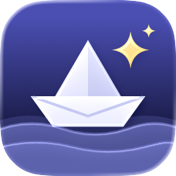 Night
Night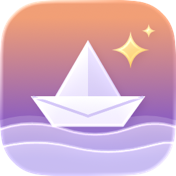 Dawn
Dawn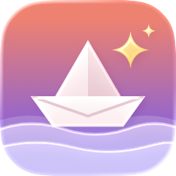 Coral
Coral Ocean
Ocean Forest
 Paper
PaperAnd also
j/k, e, #, r, a, f, s, u, !, / — plus every menu command.
Swipes you configure, multiple selection, drag and drop onto labels, the trash or spam.
Your latest unread in the menu bar, the unread count on the Dock.
Earlier messages hidden behind « ••• », whatever app the sender used.
mailto: links open Courant.
The address the email was sent to, even through a group or a forward.
Senders' photos and their company's logo.
See the raw message, export it, print it.
Offline or Gmail unreachable: a discreet notice that leaves once it's fixed.
Move its blocks, fold each account.
Load them everywhere, per sender you trust, or never.
Accounts, theme, list, notifications and offline mail set up in a minute.
Editions
Every feature in both. On the Mac, choose how you pay; on iPhone, Courant comes from the App Store. Whichever you buy unlocks the others.
This website
Download the Mac app, try it free for 7 days, then buy a license.
Coming soon
Courant for iPhone, and for Mac on the Mac App Store: one purchase with your Apple Account.
One purchase is enough: it reaches your other devices and the other edition through iCloud, with your Apple Account.
Pricing
No subscription. Try every feature for 7 days, then buy once — for your Macs and your iPhone.
Prefer the App Store? Courant is coming there too, at the same price, with the same features — and either purchase will unlock the other edition, through iCloud.
For a team: from 5 licenses, 20% off. Write to us and we'll send you a purchase link.
Courant license
Mac and iPhone · every feature
$49.99once
7 days free, no card needed. After that, buy Courant to keep using it: your email stays in your Gmail account, reachable everywhere. Secure checkout by Paddle, our authorized reseller.
FAQ
No. Courant is made for Gmail and Google Workspace only, through Google's Gmail API — that's what lets it handle labels, categories, filters and search exactly like Gmail, and stay fast.
Yes, as long as your organization allows its members to use third-party apps with their Google account (most do; your administrator can tell you).
No. Courant talks to Google directly from your Mac and iPhone; we never see your mail. Two options use a server of ours, only if you turn them on: instant notifications on iPhone (a relay learns from Gmail that a message has arrived — its identifier, never its content — and wakes your iPhone, which reads the sender and subject itself), and scheduled sending (the email you schedule waits on our relay, encrypted, until it's sent, then it's deleted). And if you connect an AI service, your device sends it what each feature needs, directly.
Yes. The most recent conversations of each inbox (250 by default, you choose) are kept in full on your device, attachments' previews included, and stay readable without a connection. What you do offline is sent when you're back.
Either Apple Intelligence, turned on in your device's settings (a Mac with Apple silicon, an iPhone 15 Pro or later): it runs on your device. Or an AI service you choose, with your own key — Mistral, Anthropic, OpenAI or a compatible service — or a model running on your own computer (Ollama, LM Studio): your device then sends it what each feature needs, under that service's terms. Without either, Courant still works fully, and summaries are made locally.
Yes: every feature, free for 7 days, no card needed. When the trial ends, Courant asks you to buy it to keep using it, and only shows its purchase window (buy, restore a purchase or enter your key). Nothing is lost: your email stays in your Gmail account, reachable everywhere. One purchase covers your Macs and your iPhone.
A website license works on 3 Macs at a time, and you can move it from one Mac to another whenever you like. Once activated, it also unlocks Courant for iPhone and the Mac App Store edition on the devices signed in to your Apple Account: the key reaches them through iCloud. The App Store purchase covers your iPhone and your Macs, and unlocks the website edition the same way.
The app is in English and French for now; more languages will follow. It reads, writes and translates email in any language.
Yes: one switch in Settings › General, and mailto: links open Courant.
Wonderlink SL, a small independent studio in Spain, also behind Folia Files. Write to support@courant.app: a person answers.
Try Courant free for 7 days, on your Mac and your iPhone.